Lab 2
Lab 2
Reminder before we get started: If you have any problems or additional questions, feel free to post them on Brightspace. Questions can be about anything, not just the contents of this lab page.
Intro to CodingBat
Exercise 1: Two Times Sum
Last week, you ran your code on your own computer using PyCharm.
This week, we’ll be writing our code using a website called CodingBat. This website will be able to tell us whether our code is correct or not. We’ll come back to using PyCharm later.
Start by going to this URL: https://codingbat.com/prob/p254678.
Optionally, you can use “create account” in the top right of the page. Doing so will allow you to track your progress. This isn’t required, and these exercises are not for a grade.
When you arrive at the page, you should see something that looks like:
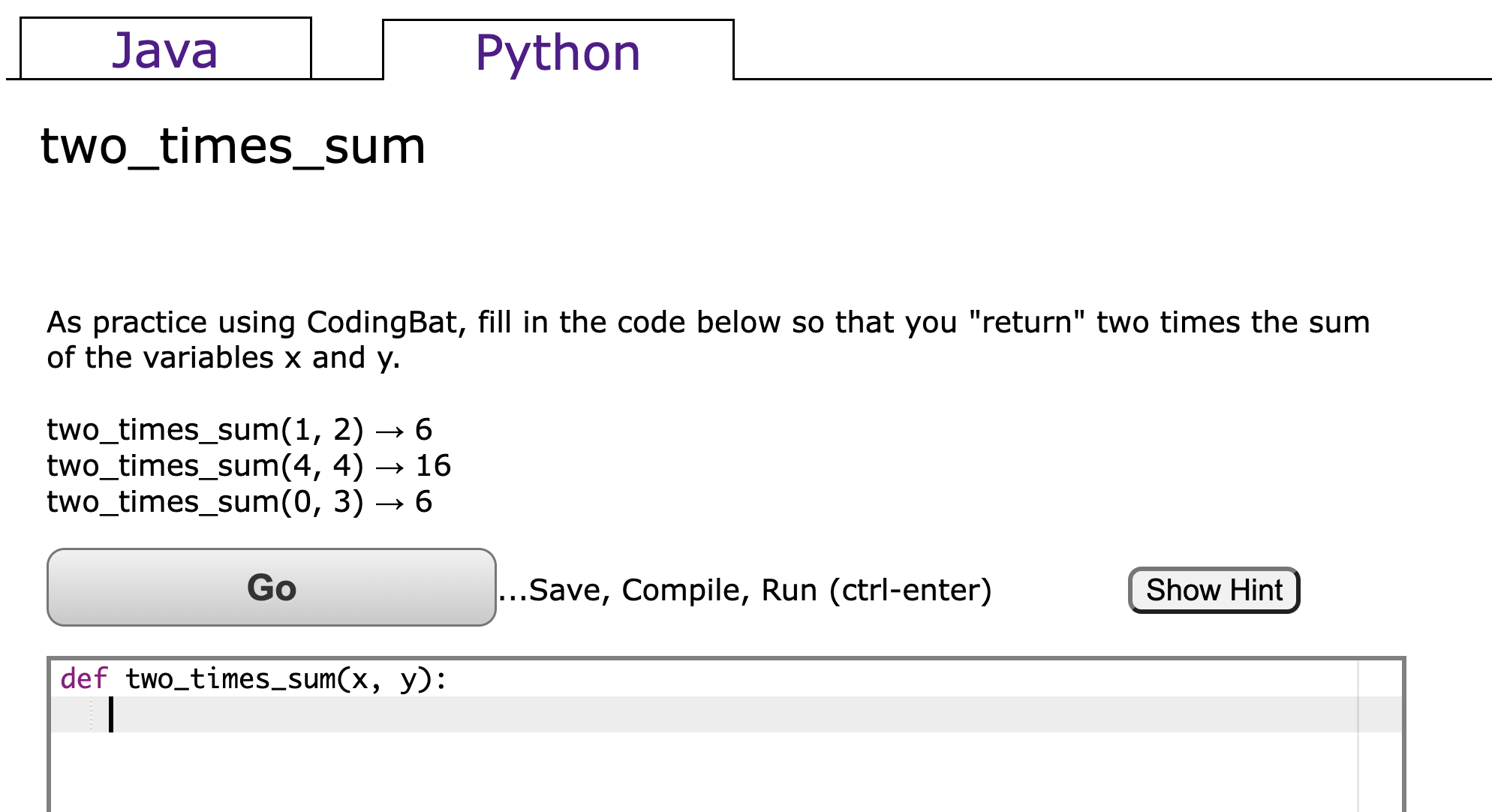
Your code will go on the line with the cursor. For this problem we’ll just give away the answer.
Important: In lab 1, you always gave your results by using print. In CodingBat, you’ll instead use return. Unlike print, you should not use parentheses when using return. We’ll talk about the difference between print and return in a couple of weeks.
Let’s try submitting our solution. Add the line return 2*(x+y) so that the code looks like this:
def two_times_sum(x, y):
  return 2*(x+y)
Put in the code, click “Go”, and you should see this:
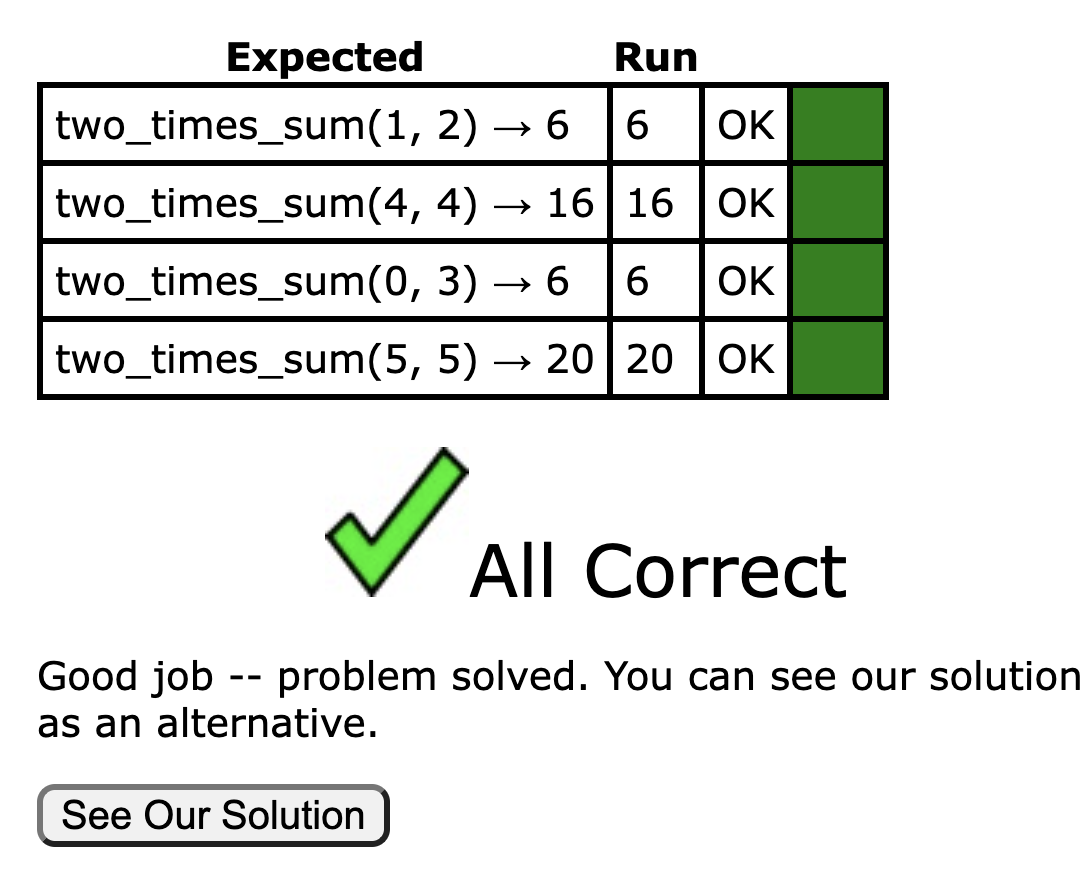
Exercise 2: Three Times Max Plus One
Now it’s your turn to solve a problem on your own.
This time we’ll work on this problem https://codingbat.com/prob/p229485.
Start by giving the solution return 3*x, i.e. the code should look like this:
def three_times_max(x, y, z):
  return 3*x
Then click Go, and you’ll see:
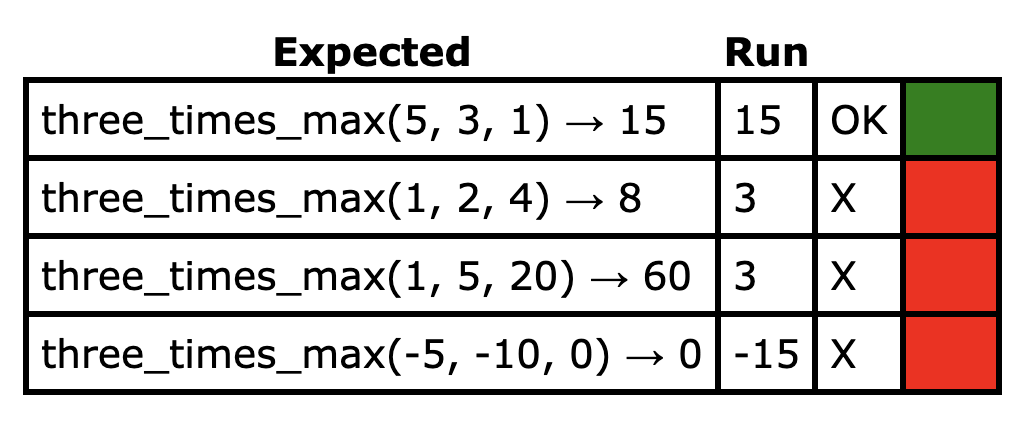
The reason we get 1 green box, and 3 red boxes is as follows:
- For the first example
(5, 3, 1), the maximum is5, so the expected answer is15. Our code returns3*x, which is3*5, which is15. Our answer matches the expected answer, so we get a green box for being correct. - For the second example
(1, 2, 4), the maximum is4, so the expected answer is12. Our code returns3*x, which is3*1, which is3. Our answer does not match the expected answer, so we get a red box for being incorrect.
Correct the code. If you’re stuck, try clicking “Show Hint”.
Once you’ve passed this exercise, you’re ready to start using the new material from lecture #2.
Booleans Practice
In the lecture, we covered booleans and operators. For example, the expression True and False evaluates to False. In other words True and False == False.
The following statements cover all of the important facts we learned about the Boolean operators not, and and or. For a further refresher, you can refer to the lecture slides on Brightspace.
not True == False
not False == True
True and True == True
True and False == False
False and True == False
False and False == False
True or True == True
True or False == True
False or True == True
False or False == False
The following code covers everything important about if-elif-else blocks from lecture.
if a < 10:
  print("A is smaller than 10!")
elif a == 10:
  print("A is 10!")
else:
  print("I guess it is bigger than 10?")
Do the following exercises on CodingBat. If you’re someone who came into the class already knowing this material, consider doing the optional challenge below.
Optional challenge for people with prior programming experience: Do these problems without using if-elif-else. It’s possible, but you’ll have to very clever and pay close attention to the week 2 lecture notes. Note: You’d never want to write code like this in real life. Writing easy-to-read code is better than writing clever-and-tricky code.
Lists Practice
In lecture, we talked about lists. For example, the list L = ["cat", "dog", "potato"] has three items in it. The 0th item can be accessed with L[0], and we know that L[0] == "cat". The length of the list can be found using len, e.g. len(L) == 3.
One new thing we’ll teach you in this lab is that indexing can use negative numbers, which means to start from the back. For example L[-1] == "potato". Here -1 means the end of the list. L[-2] means the item one item back from the end of the list, e.g. L[-2] == "dog".
These facts are summarized concisely below with a slightly different example:
a = [3, 1, 4] # creates the list [3, 1, 4]
a[0] == 3 # a[n] returns the element of a at index (position) n
# where the first element is at index 0
a[1] == 1
a[2] == 4
a[-1] == 4 # negative indices start counting from the last element
a[-2] == 1
a[-3] == 3
len(a) == 3 # len(a) returns the length of a
Do the following exercises on CodingBat:
Once you’ve completed all of these exercises you’re done. If you have any problems or additional questions, make sure to post them on Brightspace.